 Friction Finance
How Friction Finance Works
A simple, powerful way to track every dollar. Here is a quick guide to getting set up and mastering your money.
Getting Started Guide
-
Step 1
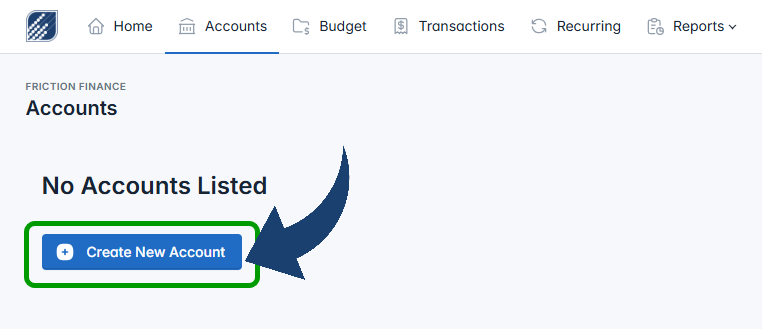
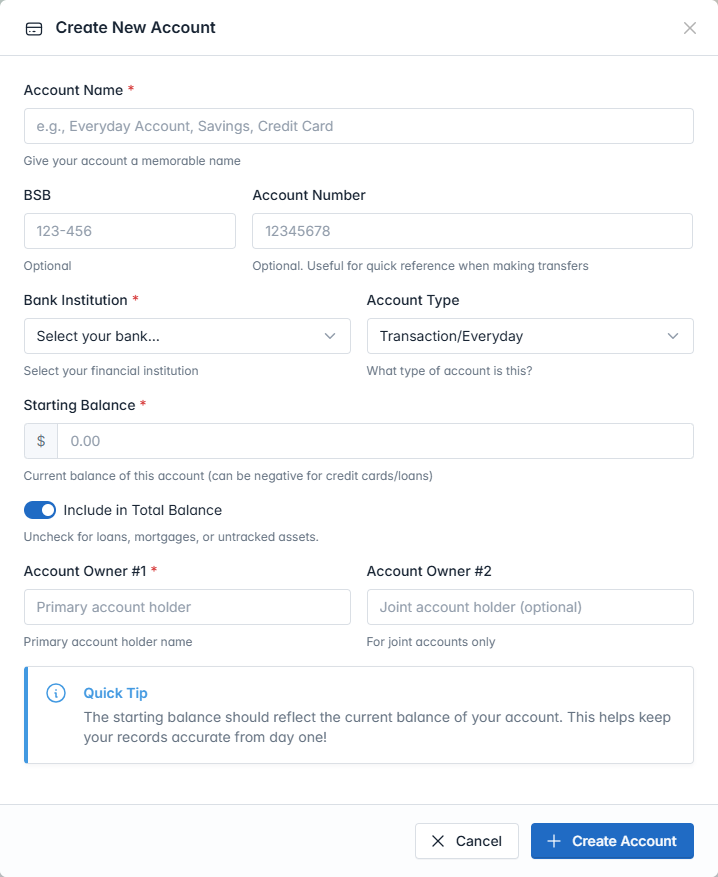
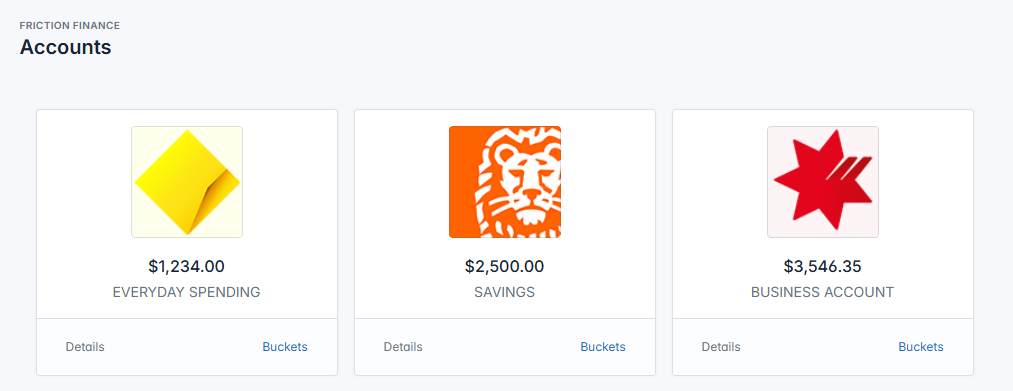
Create Your Accounts
Start by adding your real-world bank accounts. Go to the Accounts tab and click "New Account". You can track Savings, Chequing, or Credit Cards.
-
Step 2
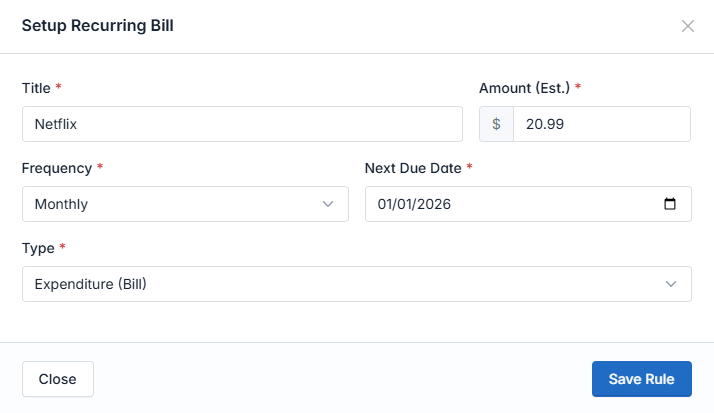
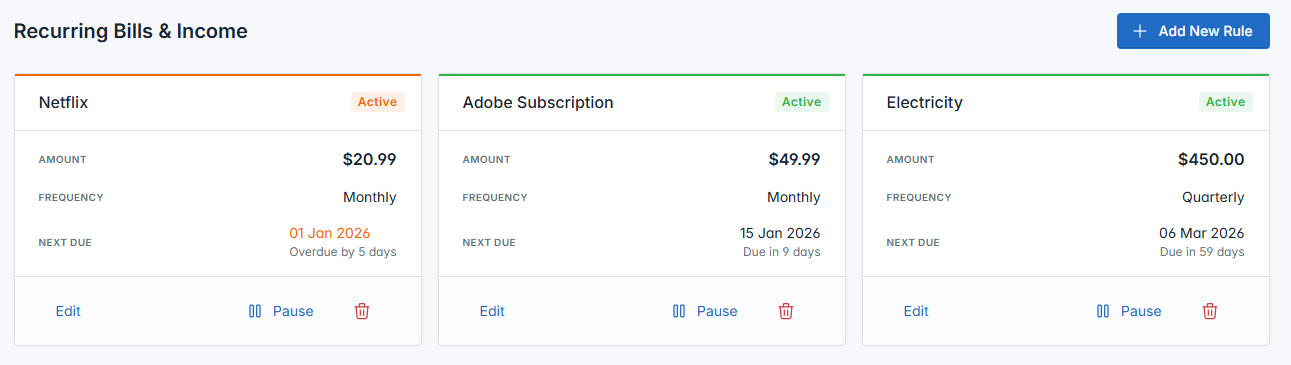
Set Up Recurring Bills
Never be surprised by a bill again. Go to Recurring and add your rent, Netflix, or gym membership. We'll automatically calculate your "Safety Balance".
-
Step 3
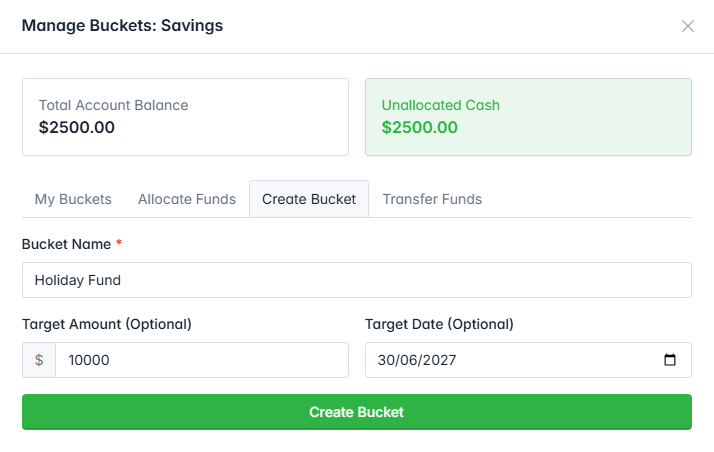
Create Buckets (Optional)
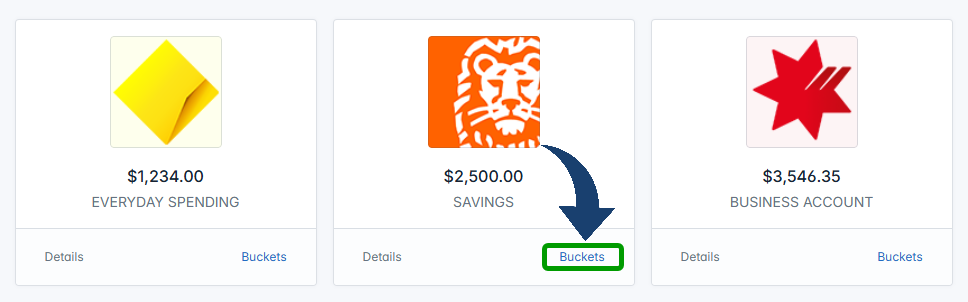
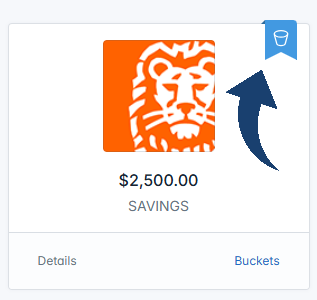
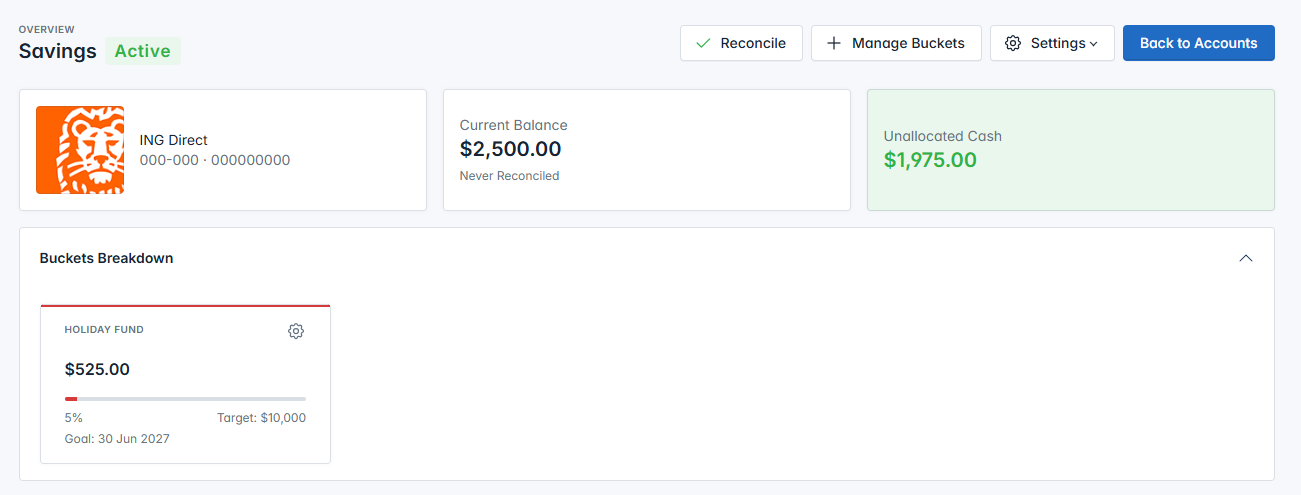
Want to save for a holiday inside your main savings account? Go to Account Details and create a "Bucket". You can transfer money into it virtually without opening a new bank account.
-
Step 4
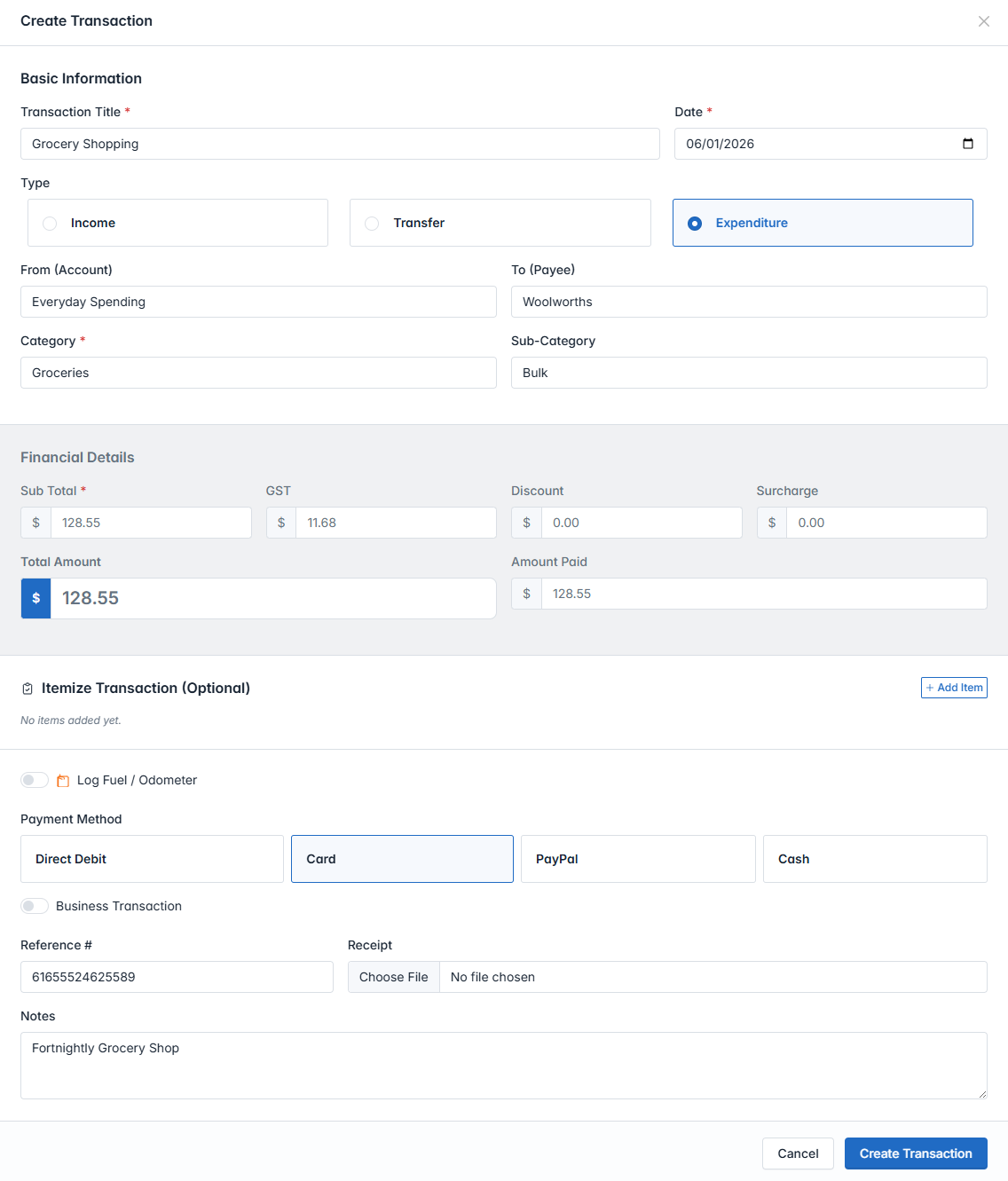
Log Transactions
As you spend, click the "New Transaction" button at the top right. Categorise your spending to see beautiful charts on your Dashboard.